
Download TestFlight
TestFlight is Apple's official app for testing beta versions of iOS apps. If you don't have it already, download it from the App Store.
Note: TestFlight is only available for iPhone and iPad. Android beta testing will be available soon!
Accept Your Invitation
Check your email for an invitation from TestFlight. Click the link to accept and the app will appear in your TestFlight app.
Didn't get an email? Make sure you signed up with the same email address, and check your spam folder. Still nothing? Reply to our welcome email and we'll sort it out!
- Open the TestFlight invitation email
- Tap "View in TestFlight" or "Start Testing"
- TestFlight will open and show Recipe Mixtape
- Tap "Install" to download the beta
What to Test
We'd love for you to explore the app naturally, but here are the core features we're especially keen to get feedback on:
Save Recipes
Snap a Photo
Create Cookbooks
Share with Others
Test scenarios to try:
- Save a recipe from TikTok, Instagram, or YouTube using the share sheet
- Take a photo of a recipe from a cookbook or magazine
- Create a new cookbook and add recipes to it
- Try editing a recipe's title, ingredients, or instructions
- Share a cookbook with a friend or family member
- Search for a recipe you've saved
- Try the app on different network conditions (WiFi vs cellular)
Known Issues
We're aware of these issues and actively working on fixes:
- Some TikTok videos may take longer to process than expected
- Dark mode support is coming in the next update
- Occasionally, images may not load on first try — pull to refresh
- iPad layout optimizations are still in progress
Pro tip: If something seems broken, try force-quitting the app and reopening. Many early bugs are one-time glitches we're still hunting down.
How to Send Feedback
Your feedback is incredibly valuable! Here's how to share it with us:
Via Screenshot (Recommended)
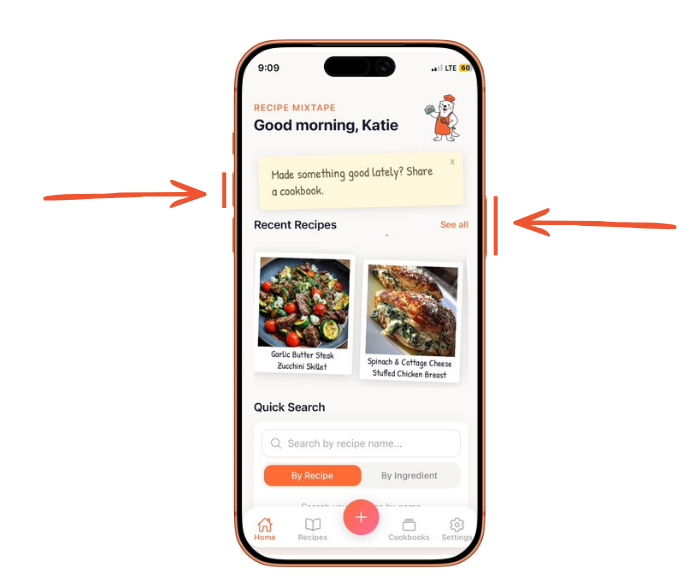
Take a screenshot (press side button + volume up simultaneously)
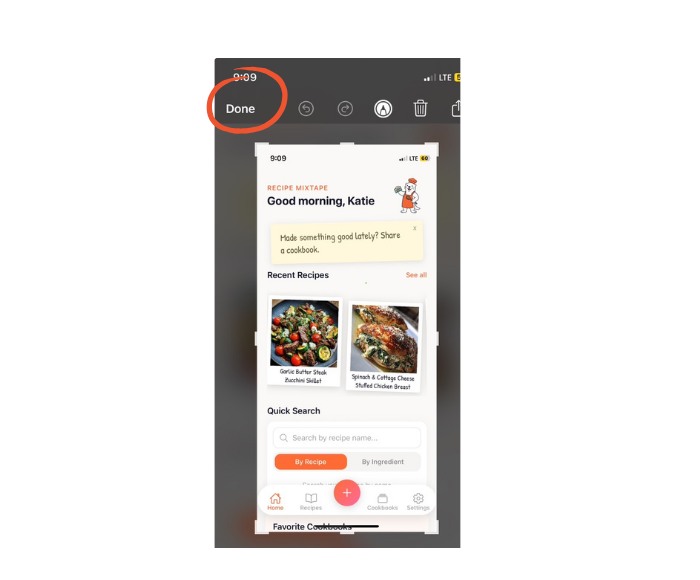
Tap "Done"
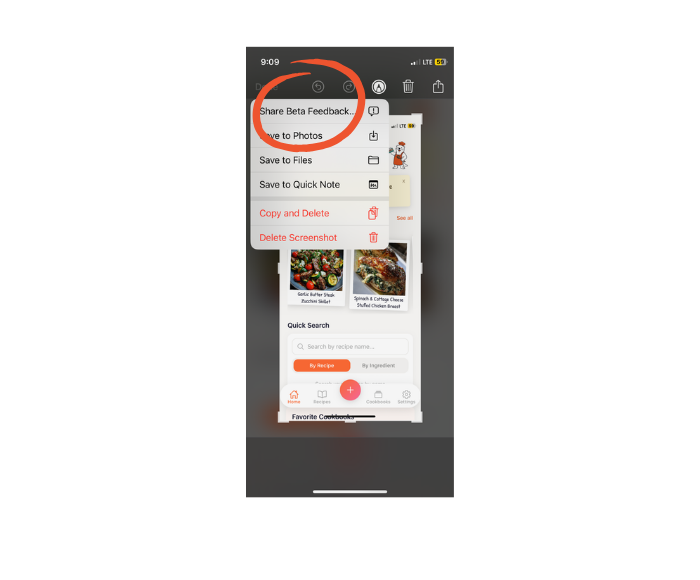
Tap "Share Beta Feedback"
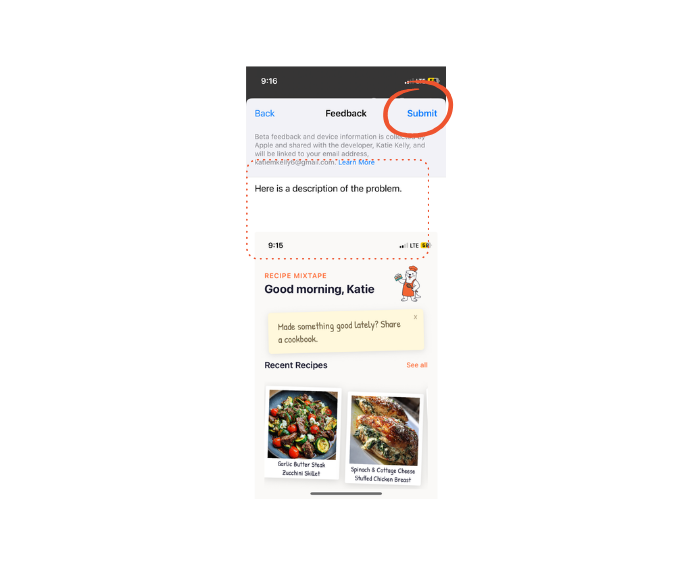
Type your issue/feedback, tap "Submit"
- You can also shake your device to bring up the feedback form
- Add as much detail as you can about what happened
What makes great feedback:
- What you were trying to do
- What you expected to happen
- What actually happened
- Screenshots or screen recordings (super helpful!)
- Your device model and iOS version
Questions? Ideas? Found a bug?
We're here to help and we genuinely want to hear from you. Don't be shy!